Payzo helps local businesses attract customers, understand customer behavior, and bring customers back again.

Discover
Get Discovered 1

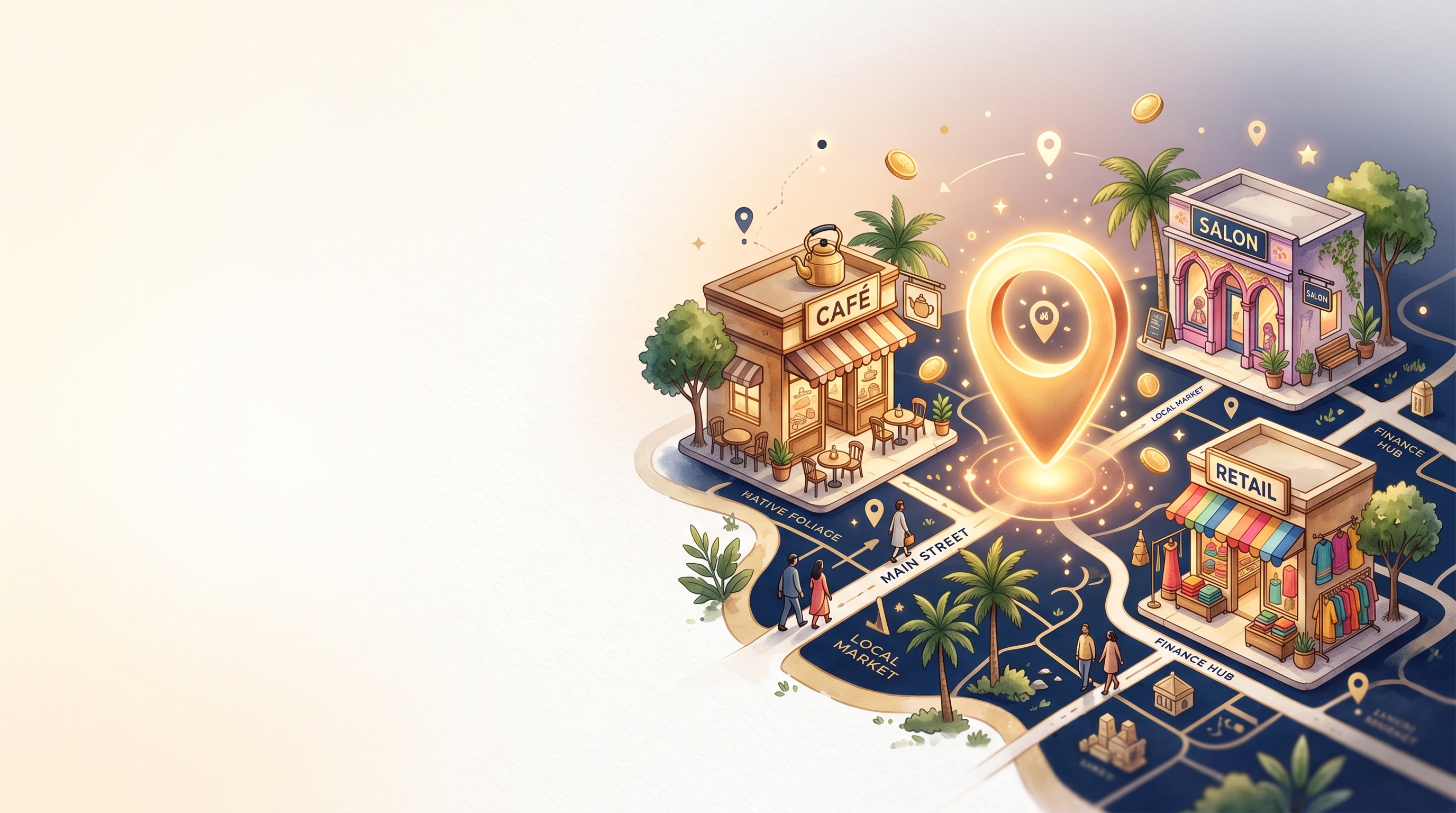
Get Discovered By Nearby Customers

Create your store on Payzo and become visible to customers searching for businesses nearby.

  • Appear in local searches
  • Reach customers actively looking to spend
  • Get discovered through business keywords
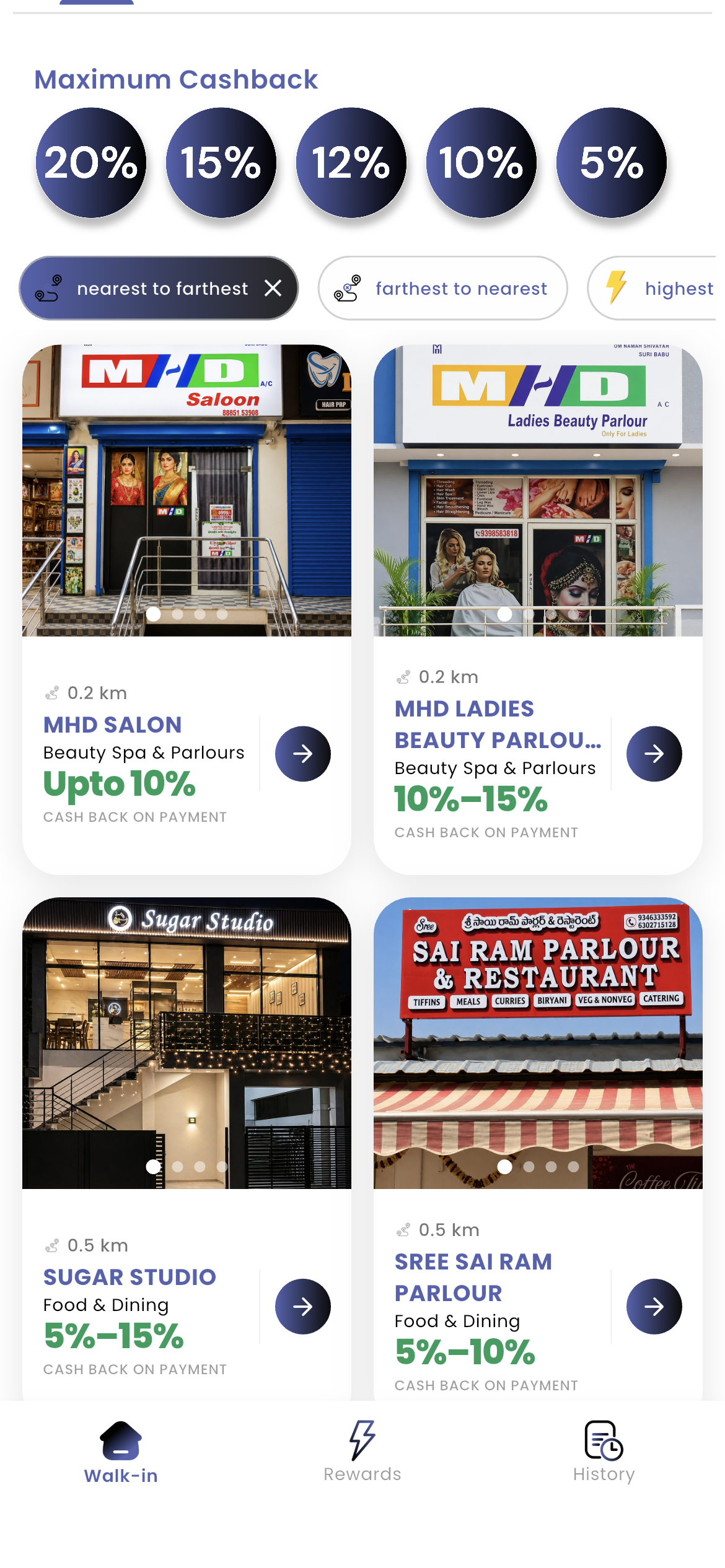
Payzo app — nearby stores with cashback offers
Nearby Stores
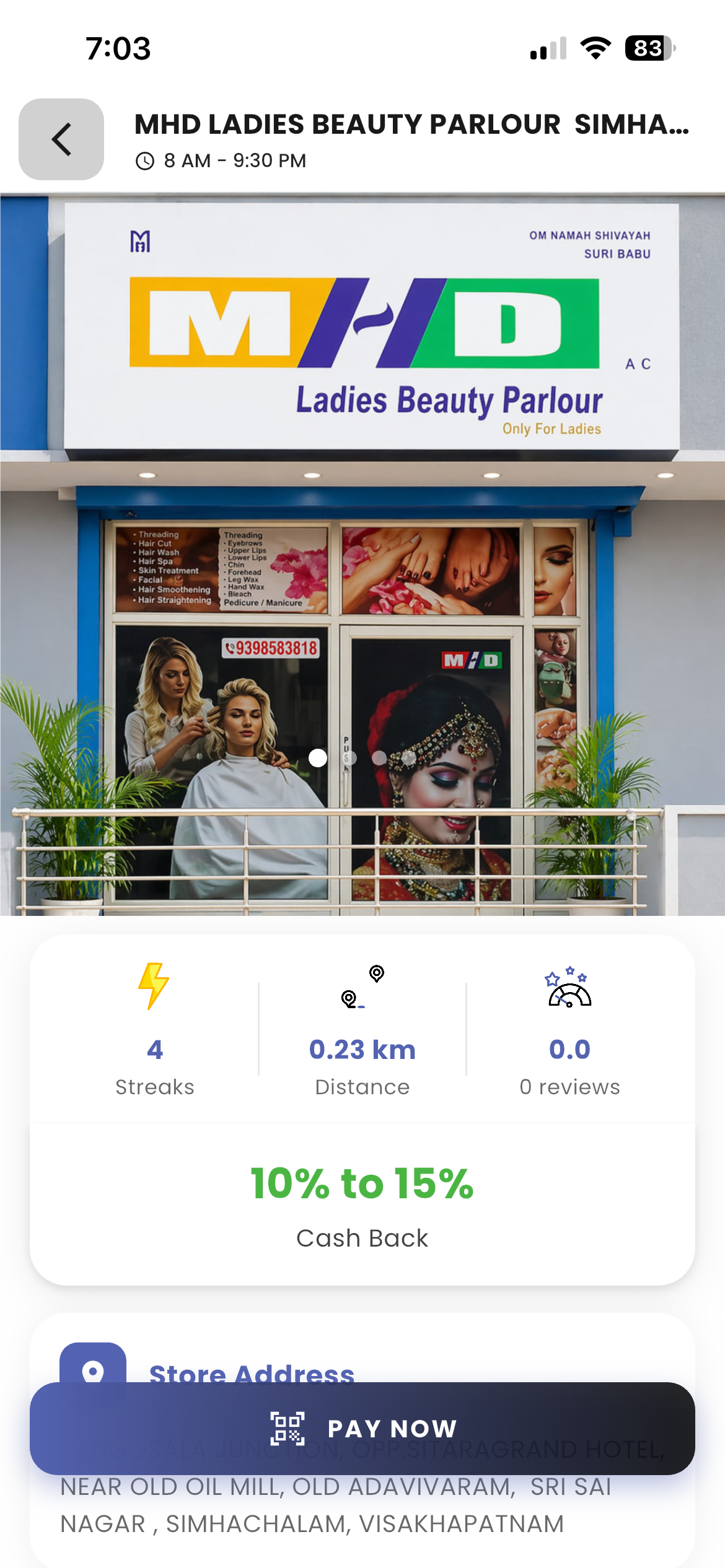
Payzo app — business profile visible to nearby customers
Store Profile

If you also want to be visible like other stores, follow these steps:

1

Create Store

Add your store name, timings, contact details, and location so customers can find you on Payzo.
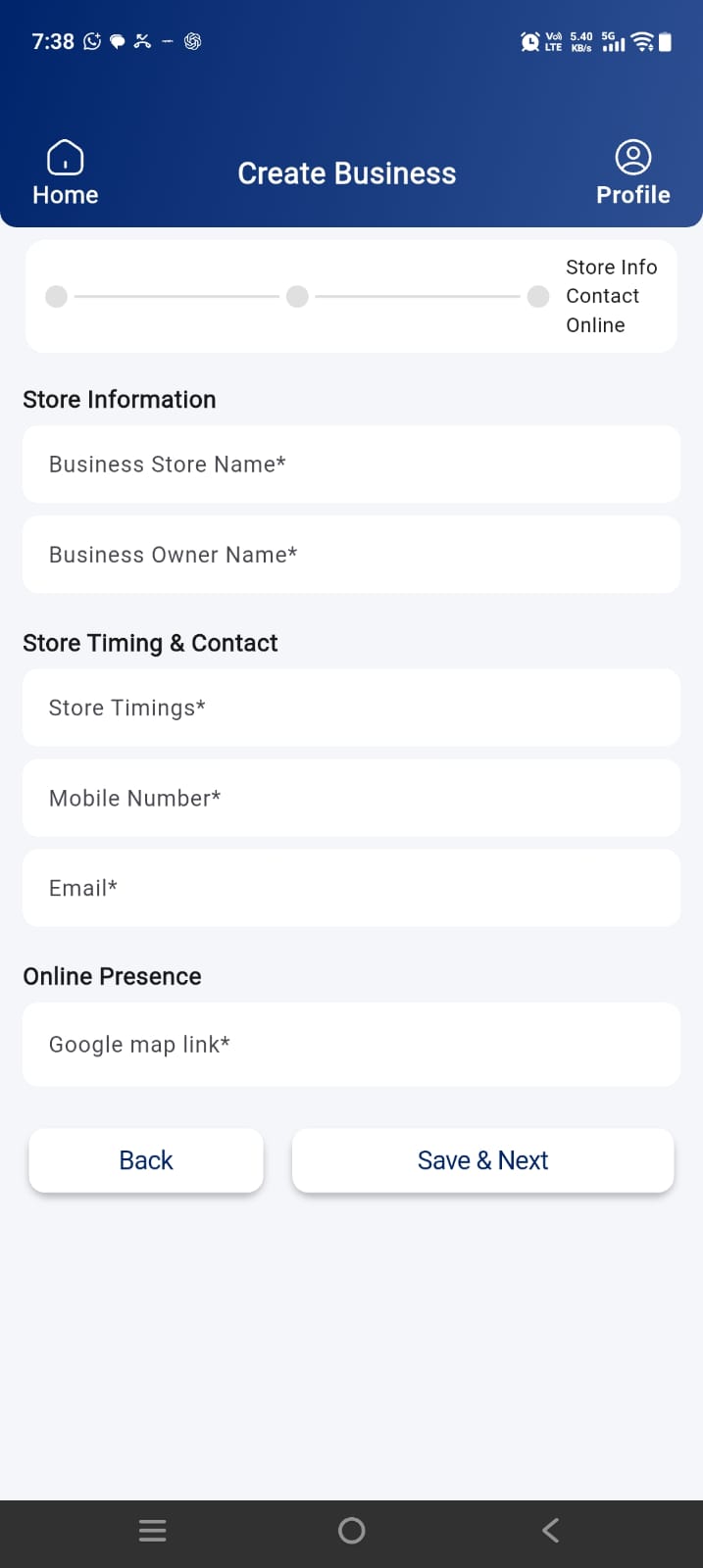
Create your business store on Payzo
2

Create Discounts

Set tiered cashback offers — you decide how much to give and for which purchase amounts.
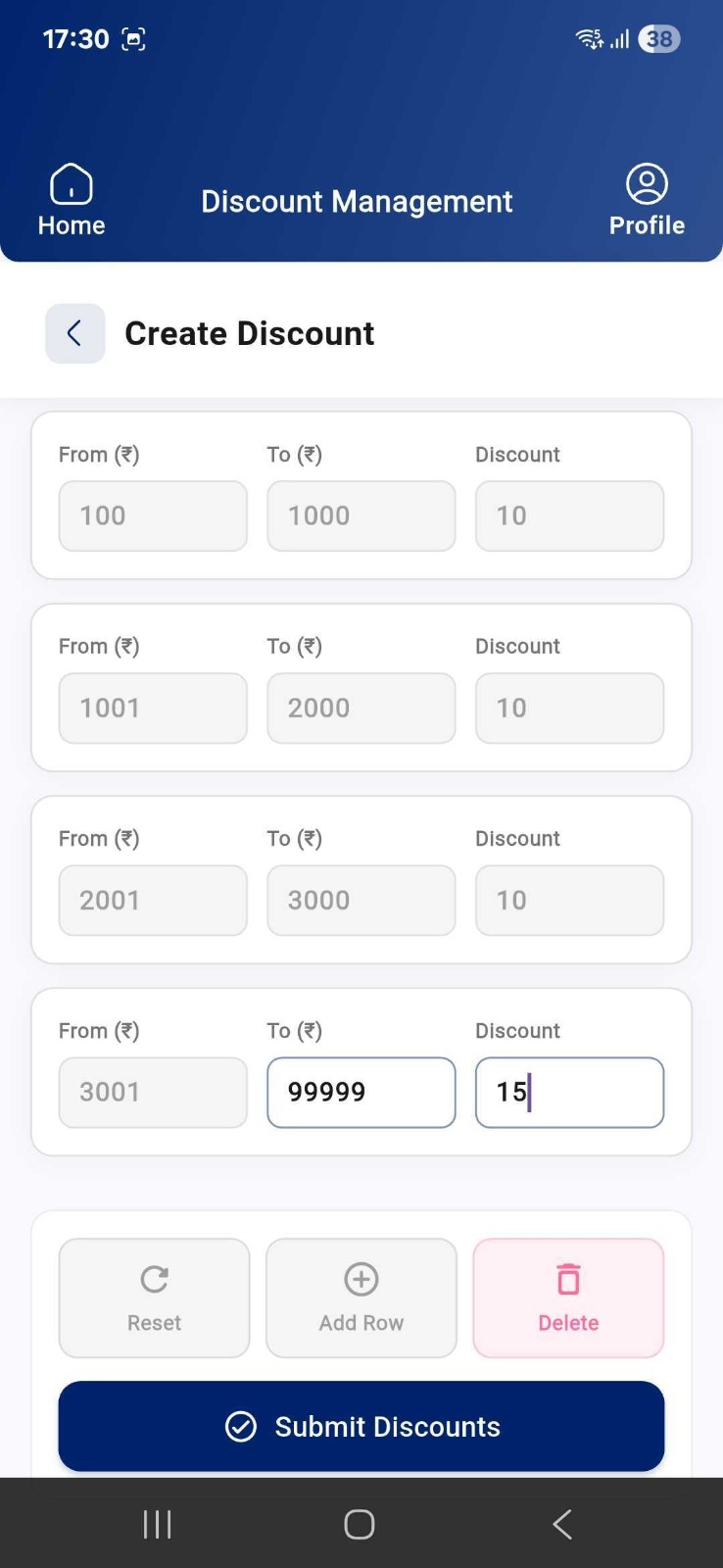
Set up tiered cashback discounts
3

Create Keywords

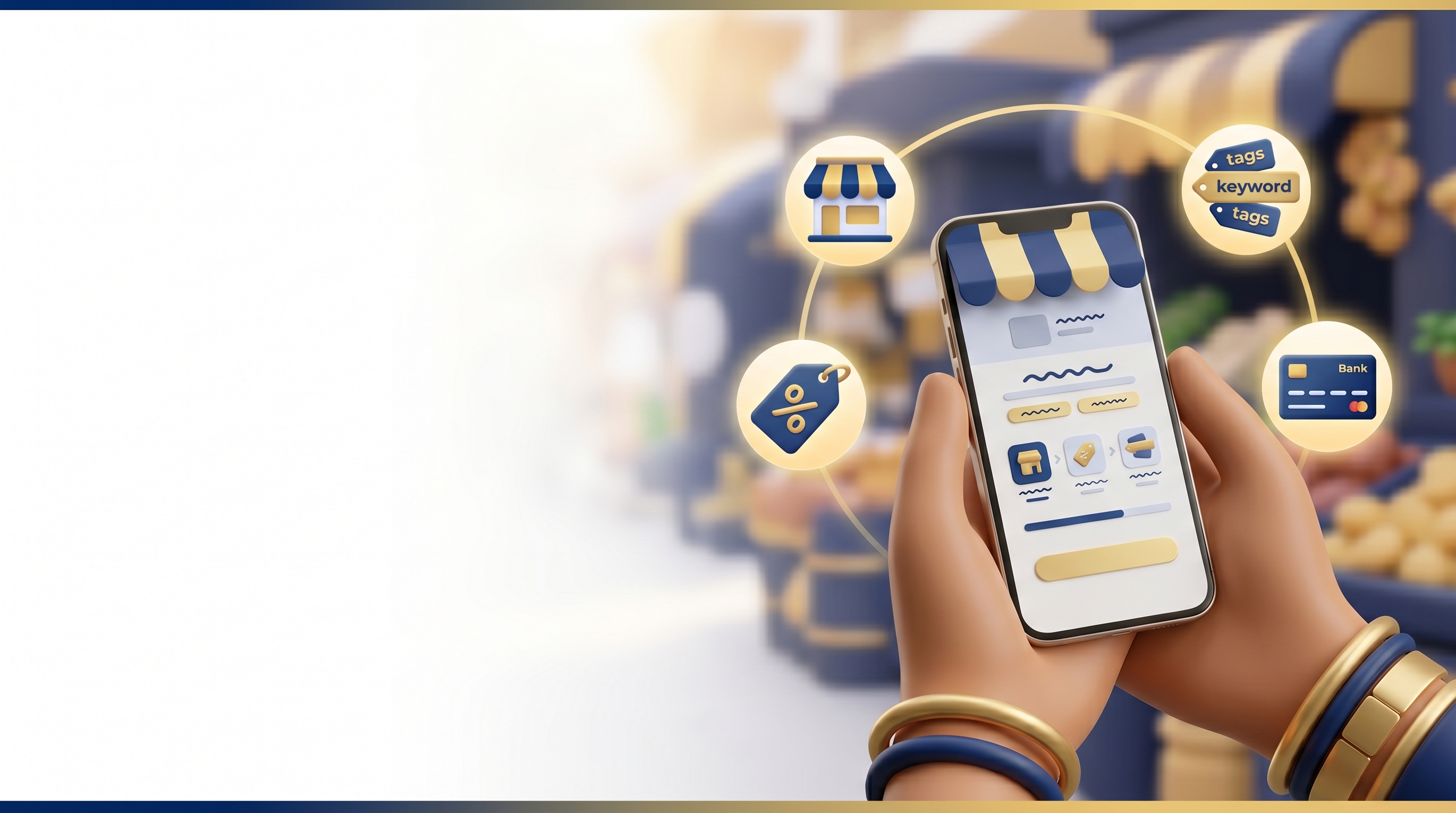
Add words customers search for (e.g. salon, restaurant) so your store appears in local search.
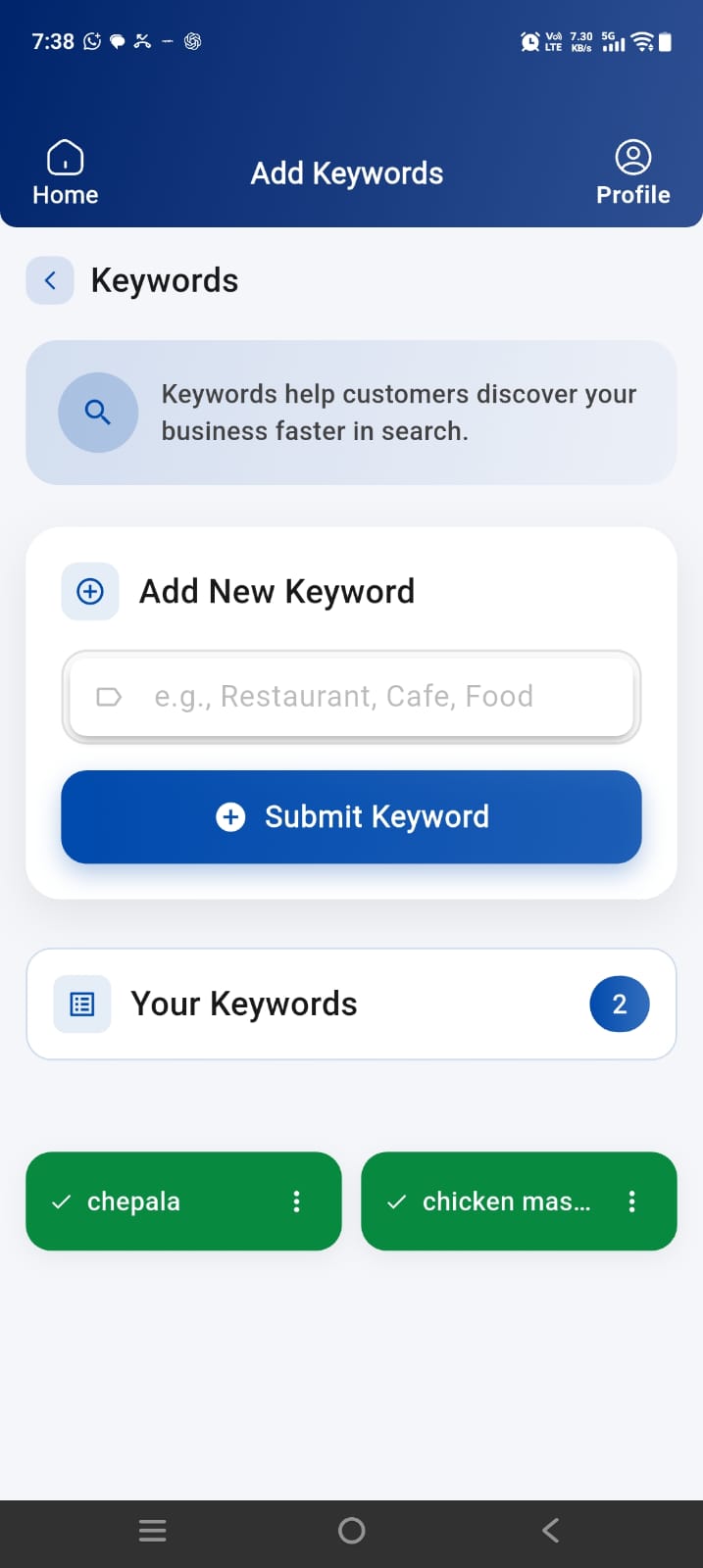
Add keywords so customers can find your business
4

Add Bank Details

Enter your bank account and IFSC code so your settlements are credited on time.
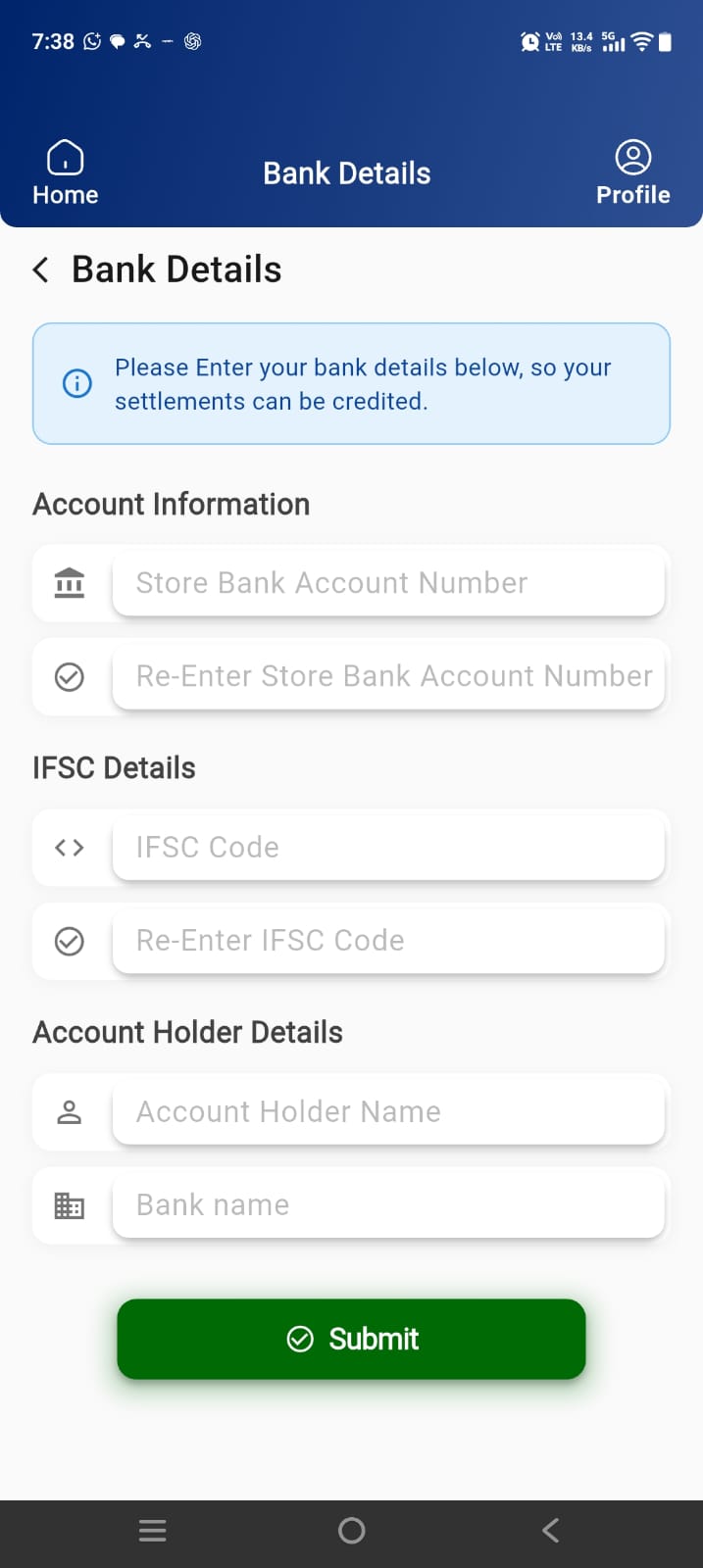
Add bank details for settlements

Extra amazing features

Messaging

Message your customers for last moment offers, discounts and deals

Reach nearby Payzo customers instantly with offers, promotions, and last-minute deals to drive more footfall.
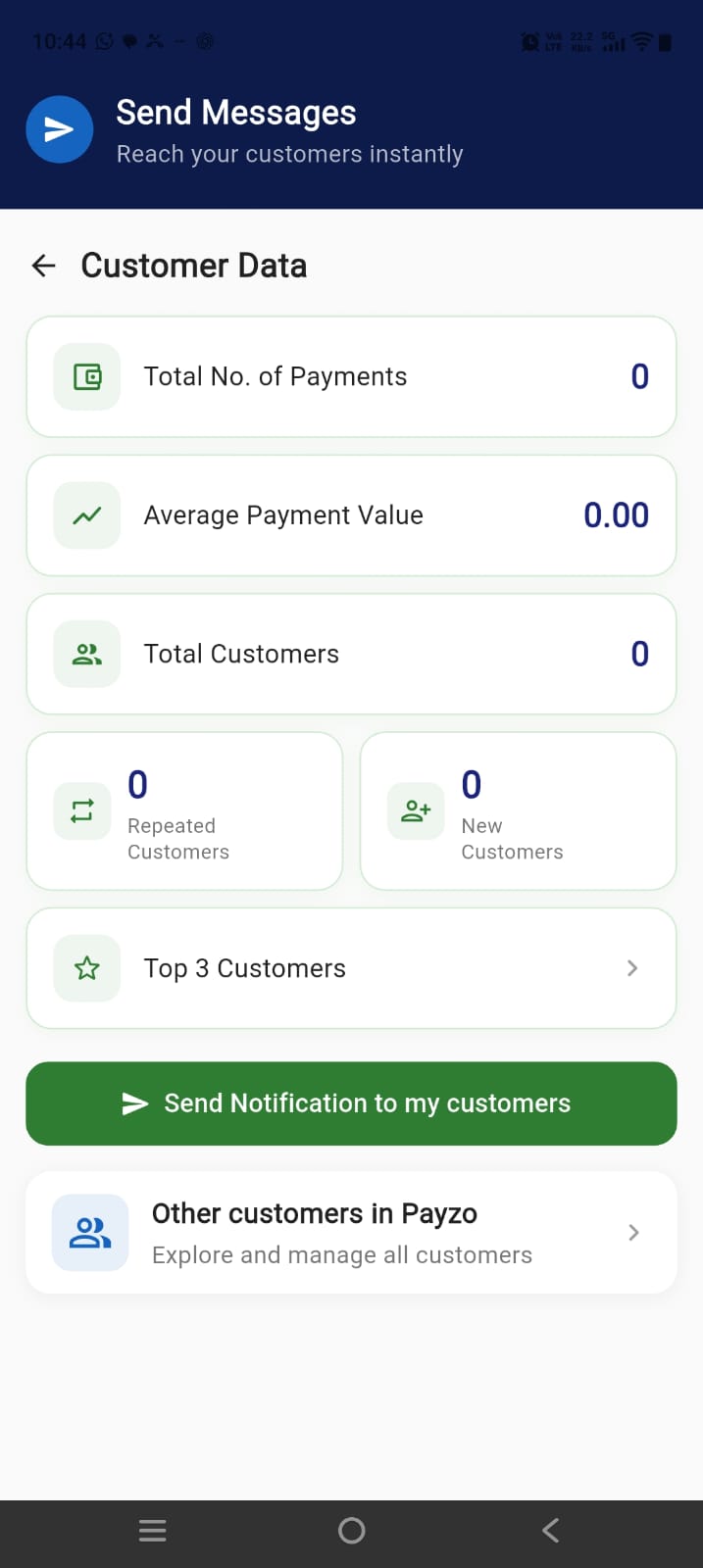
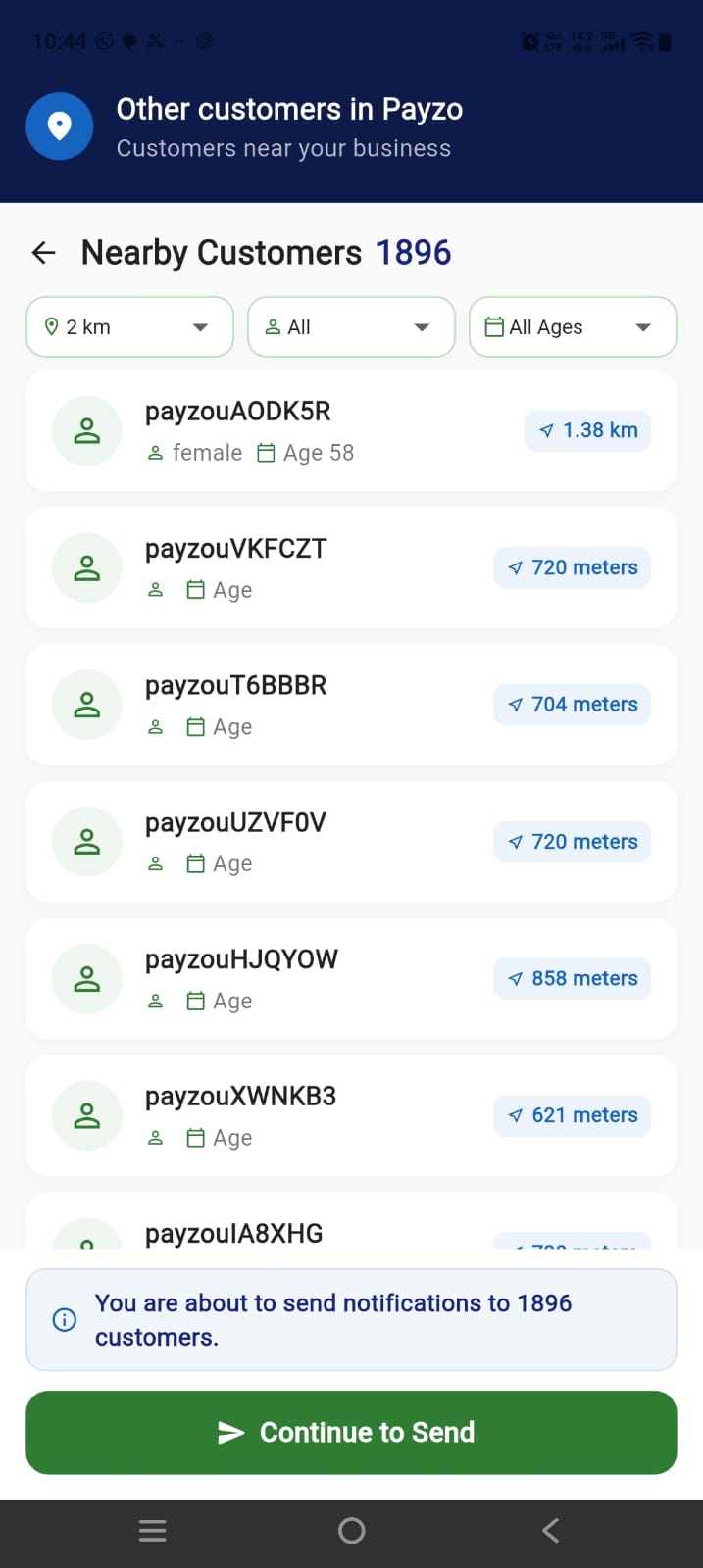
Payzo — send messages to your customers
Send Messages
Payzo — notify nearby customers
Nearby Customers
Cashback Offers 3

Create Your Own Cashback Offers

You're not deciding the cashback.

The vendor is.

You decide how much cashback you want to offer and when.
Payzo discount management — create tiered cashback offers
Discount Management
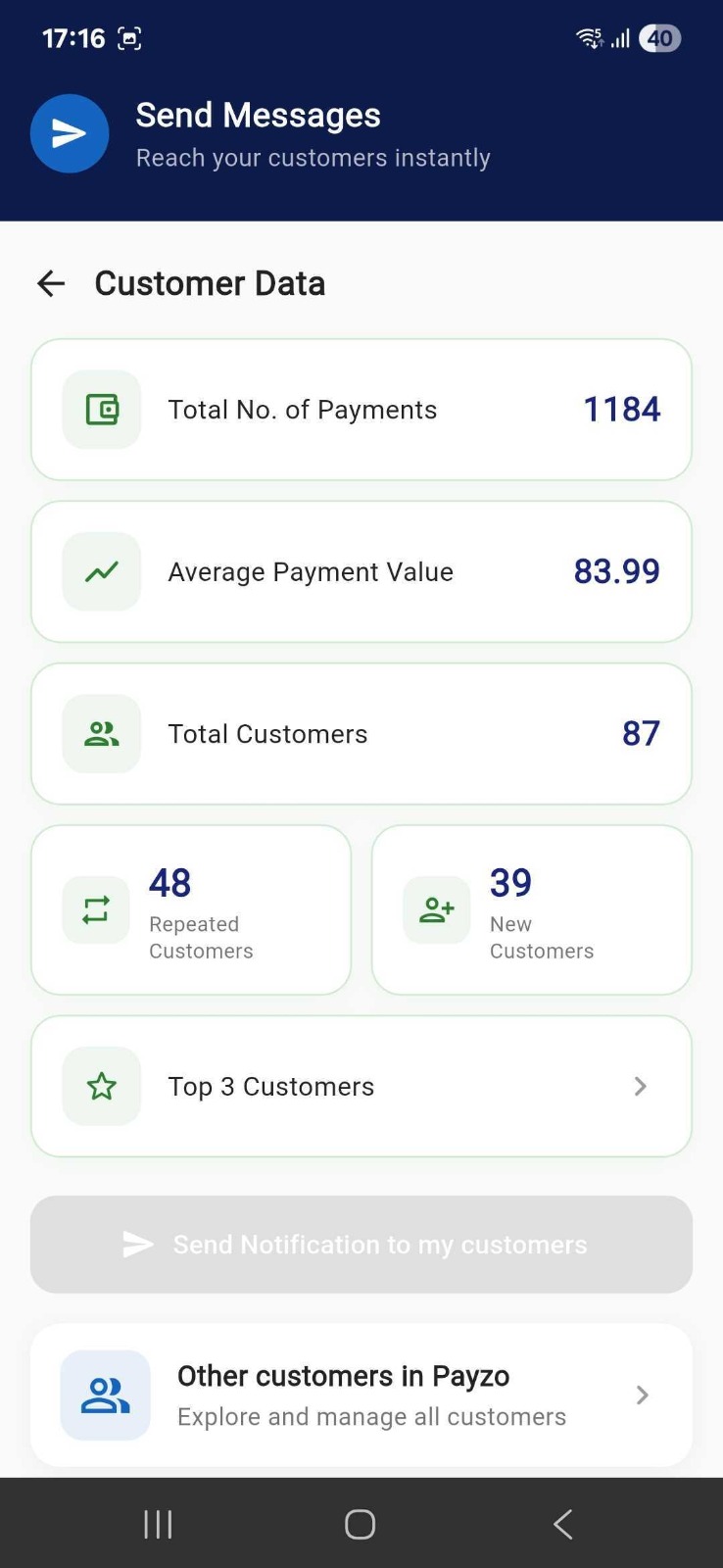
Payzo customer data — payments, customers, and insights
Customer Data
Customer Insights

Understand Customers

See who visited your store, how much they spent, and when they came back — all in one place.

  • View customer payments and visit history
  • Track cashback given and spending patterns
  • Make smarter offers based on real customer data
Payzo customer data — payments, customers, and insights
Customer Data
Takeaway

Takeaway Orders

Accept and manage takeaway orders from Payzo customers — right from your vendor app.

  • Receive orders from nearby customers
  • Update order status in real time
  • Offer cashback on takeaway, just like in-store visits

How takeaway works

1 Customer places order
2 You accept & prepare
3 Customer picks up
4 Cashback applied

Book a Call

Share your details and our team will reach out to help you get started on Payzo.

About Payzo

About Us

Payzo helps local businesses attract customers, understand customer behavior, and bring customers back again.

  • Built for local vendors — salons, restaurants, retail, and more
  • Customers discover you nearby, pay in-store via the app, and earn cashback
  • Grow repeat visits with your own offers, messaging, and customer insights

Why Payzo for vendors

Get discovered locally, reward walk-ins with cashback you control, and turn one-time visitors into loyal customers.